E-mail: sale@xxdahan.com
Follow Us 


If you've ever watched your PVC conveyor belt drift stubbornly to one side, you know the frustration. The belt rubs against the frame, edges start fraying, material spills onto the floor, and eventually, you're facing unplanned downtime. This problem is known as belt mistracking or misalignment, and it's one of the most common headaches in material handling.
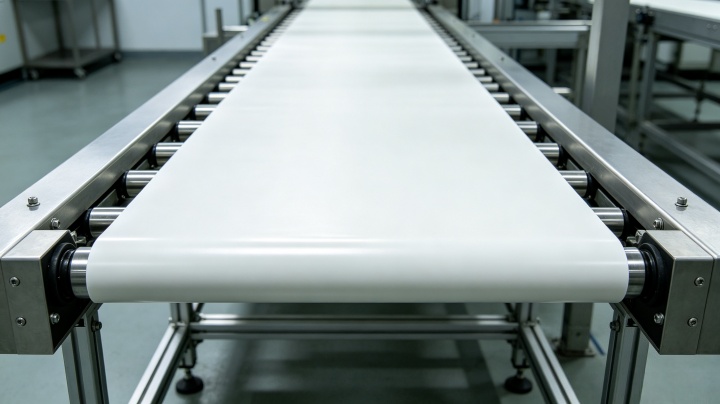
The good news? Most tracking issues can be fixed without calling in a specialist. This guide walks you through the root causes of PVC conveyor belt misalignment and provides practical solutions to get your belt running straight again.
Belt tracking is the ability to control the belt's path so it runs centered on the conveyor frame. A properly tracked belt moves straight over drive pulleys, tail pulleys, and return rollers without rubbing against side guides or frames. When tracking fails, the consequences escalate quickly:
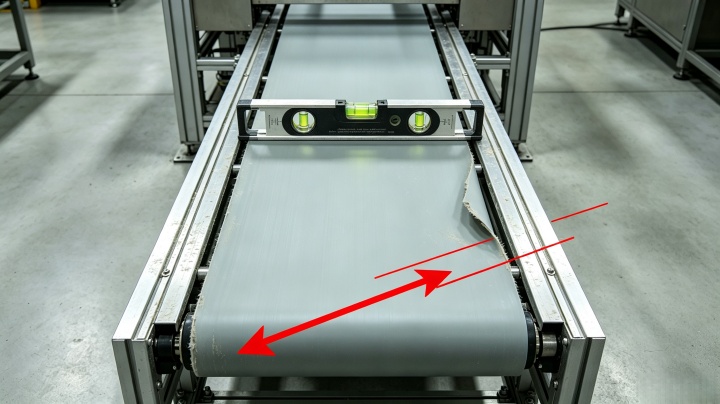
This is the #1 culprit. If the frame is warped, tilted, or not square, the belt will naturally drift to one side. A large percentage of tracking issues trace back to the structure itself, not the belt.
Check it: Use a standard level to check the frame and pulleys. To check if the conveyor bed is square, measure diagonally from corner to opposite corner on both sides—the measurements should be equal.
Fix it: Shim the frame or realign components until everything is level and square. This may involve adjusting support legs or using shims under the frame.
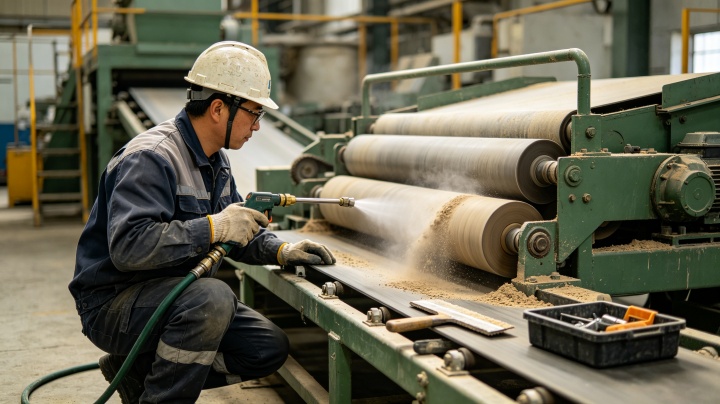
Rollers and pulleys guide the belt along its path. When a roller has a flat spot, is out of round, or is installed at an angle, it pushes the belt sideways. Similarly, material buildup on rollers creates uneven surfaces that force the belt off-center.
The drive and tail pulleys must be parallel to each other and perpendicular to the belt's centerline. If one side of a pulley is further forward than the other, the belt will pull toward the side with less tension.
Check it: Inspect all rollers for wear, damage, and material buildup. Ensure they spin freely—a frozen roller creates friction that pulls the belt sideways.
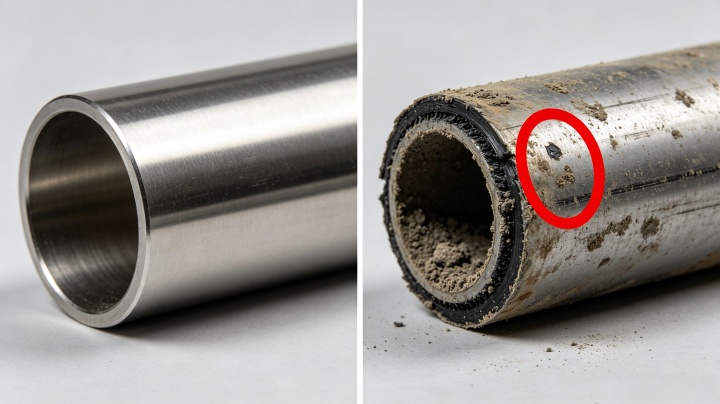
Fix it:
Both over-tightening and under-tightening cause tracking problems. A loose belt sags and wanders; an overly tight belt puts excessive stress on components and can cause pulley shafts to bend.
Check it: Observe the belt under load. If it runs straight when empty but drifts when loaded, tension is likely insufficient.
Fix it: Adjust the take-up device to achieve the "Goldilocks" tension—tight enough to stay on track, but not so tight that it strains components. For PVC belts, sag should typically be ≤5mm per meter of belt length. Make small adjustments and observe for several minutes before making more.
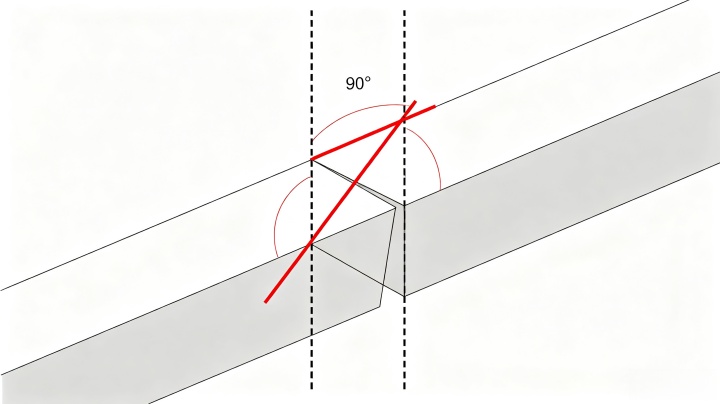
If the belt wasn't cut perfectly square before joining, the splice creates a permanent "bow" or "camber." This is a leading cause of mistracking. You'll notice the belt swinging back and forth at the same spot during each revolution.
Check it: Look for the belt shifting repeatedly at the same point in its rotation. If the pattern repeats, suspect a crooked splice.
Fix it: Re-splice the belt, ensuring the cut is perfectly square. Joint deviation should be ≤0.5mm. This is one of those cases where prevention is far easier than cure.
How material is placed on the belt matters enormously. If product consistently falls on one side, it pushes the belt toward the opposite side. The belt may run straight when empty but drift immediately after loading.
Check it: Observe the belt's tracking under load versus empty. If the problem appears only when loaded, loading is likely the issue.
Fix it: Center the material drop point. Adjust the chute or feeder position so material lands in the middle of the belt. Adding guide plates can help distribute product evenly.
Extreme temperatures, humidity, and chemical exposure can affect PVC belt properties. High heat causes expansion; cold makes the belt brittle; moisture can change dimensions. In facilities with strong air currents, lightweight PVC belts can even be pushed off-track by fans or heaters.
Check it: Consider whether your operating environment has changed or if there are nearby heat sources or fans.
Fix it: Shield the conveyor from external heat, wind, or moisture where possible. Use temperature-appropriate belt materials for extreme conditions.
Sometimes the belt itself is the problem. A low-quality belt may have uneven thickness, improper cut, or other defects that cause tracking issues. If the belt has a natural curvature when laid flat, it will never track straight.
Check it: Remove the belt, lay it flat on the floor, and check if it appears straight or curved.
Fix it: For quality defects, replacement is the only solution. Choose a reputable supplier with strict quality standards.
When you're ready to fix tracking on your PVC conveyor belt, follow this systematic approach:
Run the belt empty first. If it tracks off-center without load, the problem is mechanical—frame, rollers, or tension.
Start inspecting from the highest-tension area (usually where the belt leaves the drive pulley) and work forward. Look for where the belt first moves off-center.
Do not adjust end pulleys to track the belt—this often makes things worse. Instead, use snub rollers or idlers:
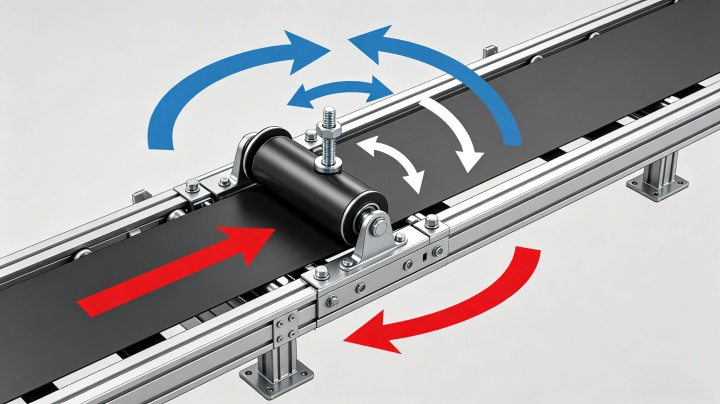
If tension is the issue, adjust both sides of the take-up equally. For a belt drifting to one side, tighten the side the belt is moving toward or loosen the opposite side slightly.
Once tracking looks good empty, run material through and observe. If the belt drifts only under load, revisit your loading point and distribution.
The Golden Rule: Adjust in small increments. A tiny adjustment can make a huge difference. Always allow the belt to run for several minutes between adjustments.
Most PVC belt tracking problems can be solved systematically. We hope this guide has shown you how to track a PVC conveyor belt effectively, reducing downtime and wear.
PVC conveyor belt tracking problems are frustrating, but they're almost always solvable. The key is systematic troubleshooting: check the frame first, then pulleys and rollers, then tension, splice, and loading. Nine times out of ten, the fix is simpler than you expect—often just cleaning buildup or making a small adjustment to a snub roller.
The belts that track best are the ones on conveyors that are kept level, clean, and properly maintained. A little preventive care goes a long way toward avoiding costly downtime and belt replacement.
CONTACT
WhatsApp:+86 18339211009
Email:sale@xxdahan.com
Add:China, Henan Province, Xinxiang City.Yanjin county forest park gate to the west 1000 meters north road